Aadhaar Help Desk

Independent Information Portal

Task-first Aadhaar guide

Aadhar Card Download

आधार से जुड़े काम सही तरीके से पूरे करने का आसान और पेशेवर मार्गदर्शन।

Use this page as a complete operating guide before you open the UIDAI portal. We break down each step for download, correction, status tracking, document preparation, and service-channel selection so you can avoid rework, rejected submissions, or delays.

This is an independent information portal. You should perform all final actions only on official UIDAI websites. We never collect Aadhaar number, OTP, biometric data, or payment details.
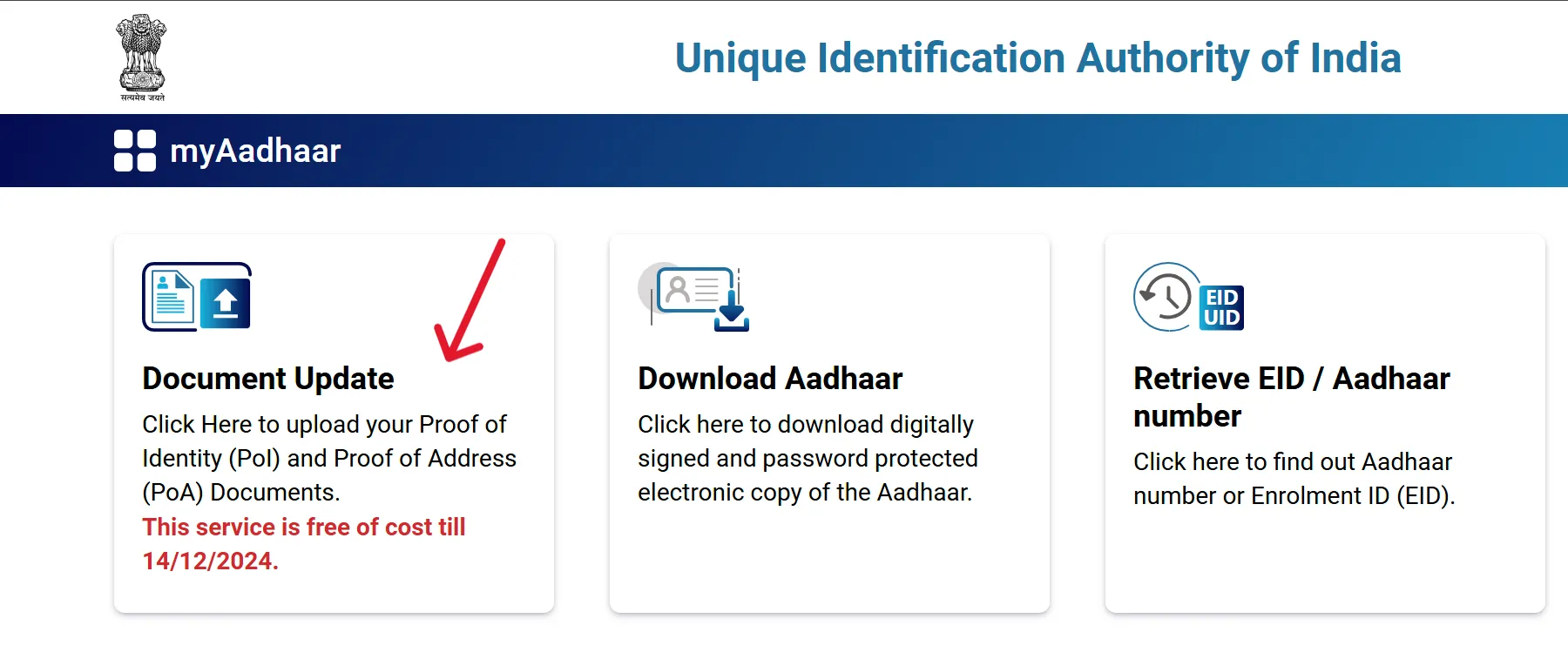
Choose your primary Aadhaar task

अपना मुख्य आधार कार्य चुनें: डाउनलोड, अपडेट, स्टेटस या दस्तावेज़ तैयारी।

How Aadhaar services usually work in practice

आमतौर पर आधार सेवाएं सही क्रम में करने पर जल्दी और बिना त्रुटि के पूरी हो जाती हैं।

Most Aadhaar service journeys are simple when done in the right order. The most common mistake is starting with forms before checking what identifier, mobile linkage, and supporting documents are required. Follow this sequence to reduce failure points.

Step 1

Identify your service path

Choose download, update, status check, or document preparation. Each flow has different input requirements and service limits.

Step 2

Verify identity inputs

Keep Aadhaar number, Enrolment ID (EID), or Virtual ID (VID) ready as needed. Ensure your registered mobile is active for OTP-based actions.

Step 3

Submit only on official portals

Complete the transaction on UIDAI pages, save acknowledgement numbers, and avoid unknown apps or links shared over social media.

Step 4

Track until closure

Use URN, SRN, or EID based tracking pages. If delayed, escalate through official complaint/status channels with transaction details.

Detailed service playbooks

हर सेवा के लिए विस्तृत चरण-दर-चरण मार्गदर्शिका।

1) e-Aadhaar download workflow

  • Open the official myAadhaar download page.
  • Select available identifier mode (Aadhaar number, VID, or EID).
  • Complete OTP verification on registered mobile.
  • Choose masked Aadhaar if you prefer reduced number visibility on the file.
  • Download the PDF and check name, date of birth, gender, and address for matching records.
  • If your mobile is not linked, use the nearest enrolment/update center for supported offline options.
  • Keep one secure copy and do not forward Aadhaar PDFs through untrusted chat groups.

2) Update and correction workflow

  • Decide whether your update is online-eligible or center-only.
  • Match each correction field with the right supporting document category.
  • Ensure spellings and format consistency before submission (name order, house number, locality, PIN code).
  • Upload clean, readable scans where applicable.
  • Submit request and save URN/SRN acknowledgement immediately.
  • Track status periodically; avoid multiple duplicate requests unless the previous one is closed or rejected.
  • If rejected, compare rejection reason with source document and refile with corrected inputs.

3) Status and escalation workflow

  • Use the official check-status tools with URN/SRN/EID exactly as issued.
  • If you see pending status for long periods, verify whether any action is required from your side.
  • Re-check document quality if prior status showed validation issues.
  • Use complaint registration channels for unresolved delays.
  • Save complaint IDs and use status pages for follow-up tracking.
  • For urgent cases, also verify update-center availability and appointment slots.
  • Only trust resolutions visible on official portal outcomes.

Document readiness guide (before any update request)

किसी भी अपडेट से पहले सही दस्तावेज़ तैयार रखना जरूरी है।

Prepare documents by category, not by assumption. Different fields may require different proof sets. Ensure the document is valid, legible, and reflects current details.

Proof of Identity (POI)

Used primarily for name and identity alignment. Keep full name consistent with your selected spellings and initials.

Proof of Address (POA)

Ensure complete address fields are visible: house/building, street/locality, city, district, state, and PIN code.

Proof of Date of Birth (DOB)

DOB documents must show the exact date clearly. Incomplete or low-clarity scans can cause delays.

For the latest accepted-document list and field-level rules, always verify on UIDAI pages before uploading.

Frequent issues and quick fixes

आम समस्याएं और उनके त्वरित समाधान।

  • OTP not received: Check mobile network, DND/SMS blocking, and whether the number is currently linked with Aadhaar services.
  • Details mismatch after download: Confirm your latest update status first; downloaded file may show older data until request closure.
  • Update request rejected: Review reason code, then resubmit with corrected field format and clearer supporting documents.
  • Unable to book appointment: Retry with alternate date slots, nearby centers, or different time windows.
  • Status not moving: Keep URN/SRN ready and escalate via official complaint channels if pending beyond normal timelines.
  • Document upload errors: Re-export files at readable quality and supported size/format limits.
  • Wrong mobile linked: Use center-assisted update channels where required to correct contact details.
  • Unsafe third-party calls/messages: Never share OTP or Aadhaar PDF password with anyone claiming support.

Official service channels you can use

आधिकारिक सेवा चैनल, जिनसे आप सुरक्षित तरीके से प्रक्रिया पूरी कर सकते हैं।

These are commonly used official entry points for Aadhaar services, appointments, and complaint follow-up. Use these directly instead of unknown intermediary sites.

Sample-site screenshots used here (for visual guidance)

सैंपल साइट में उपयोग किए गए स्क्रीनशॉट अब इस होमपेज पर भी जोड़े गए हैं।

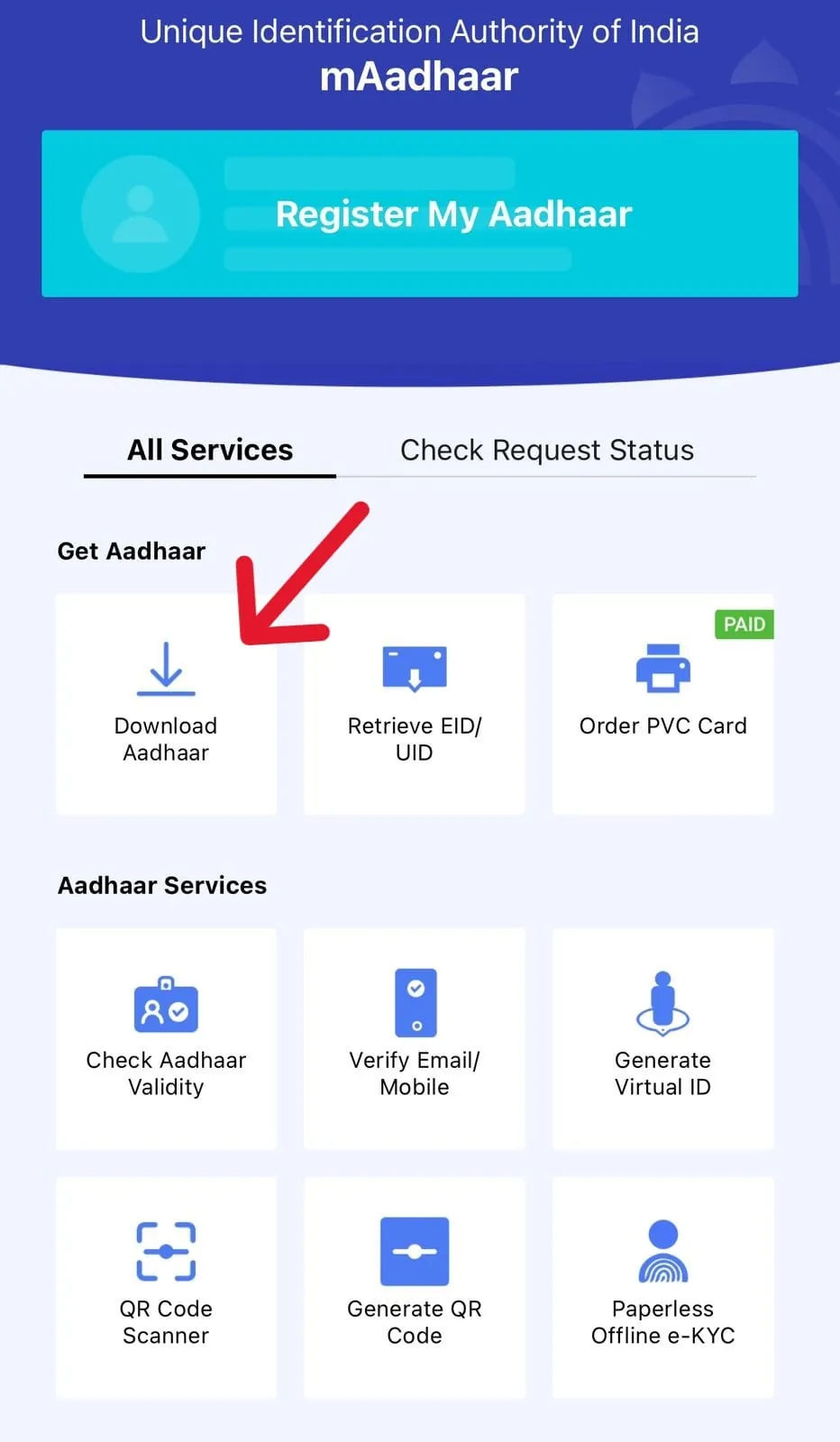
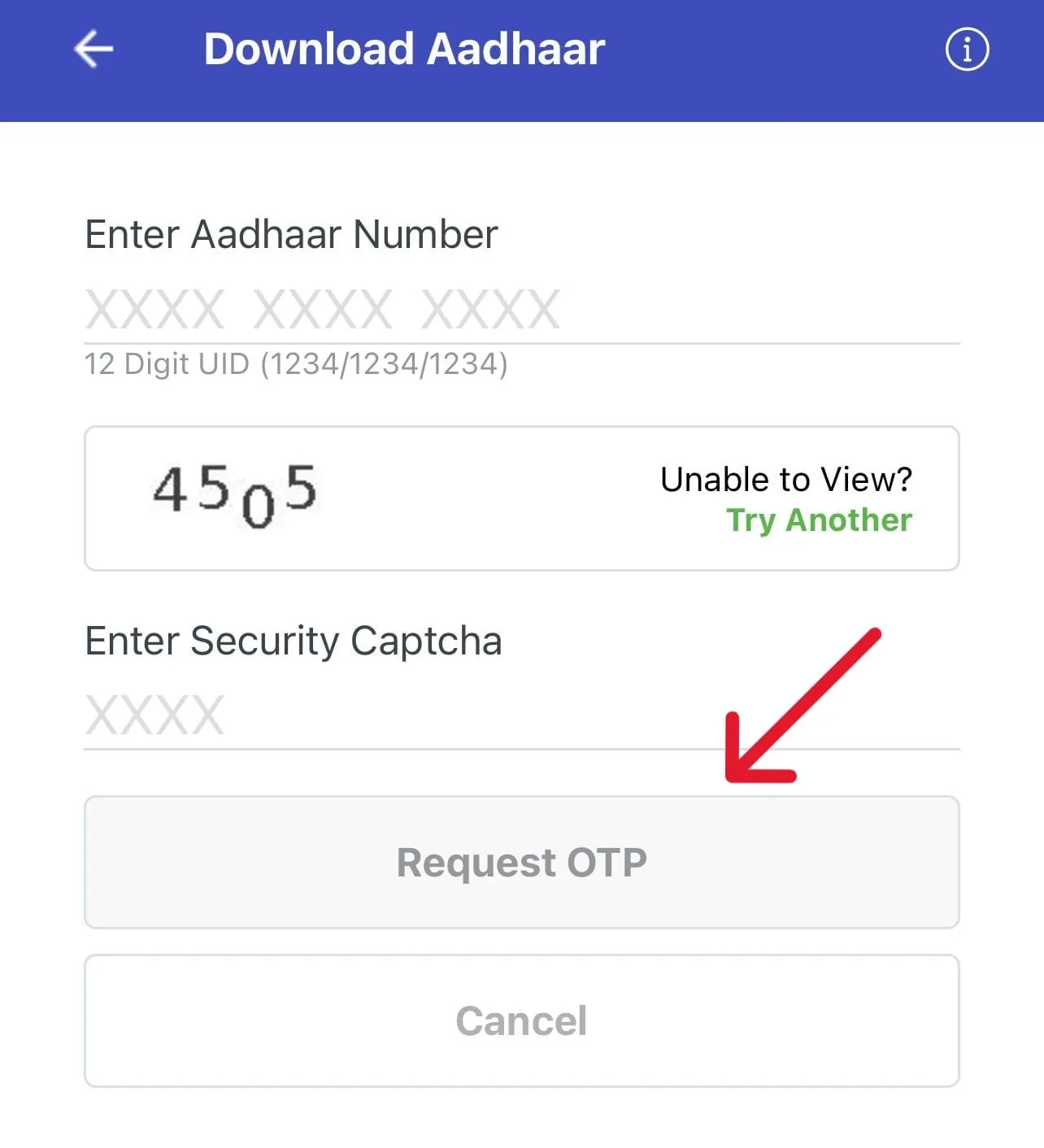
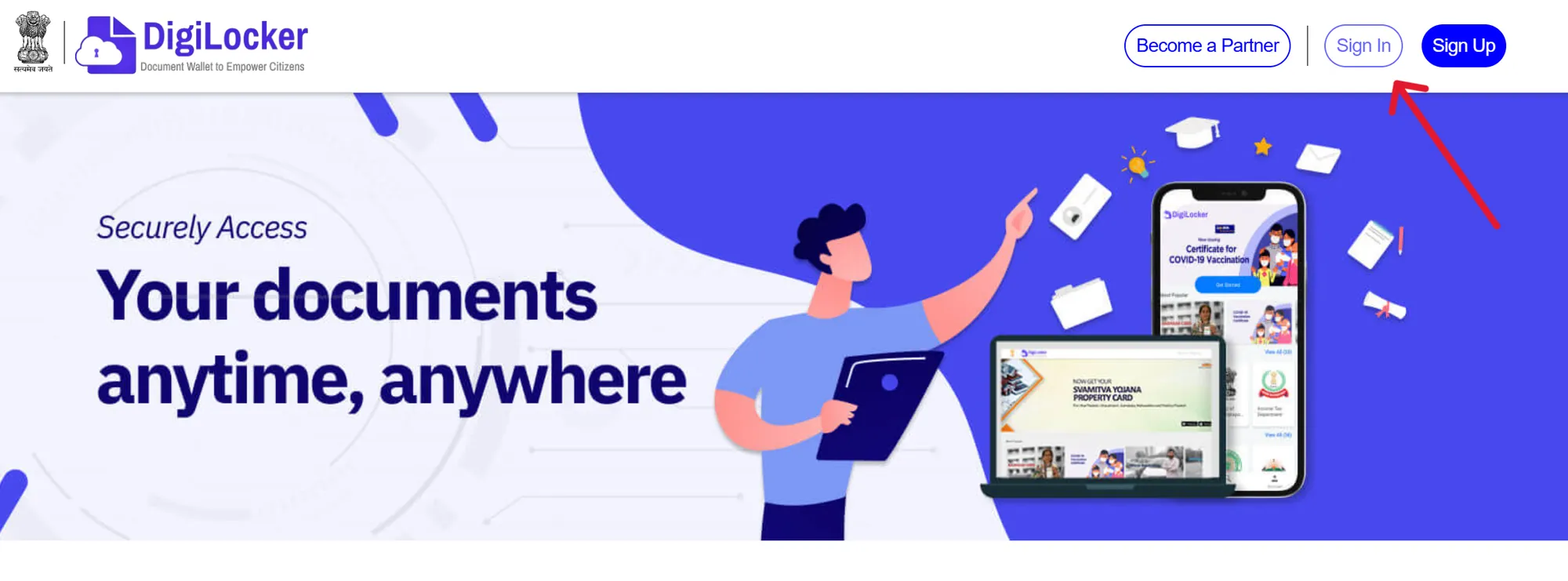
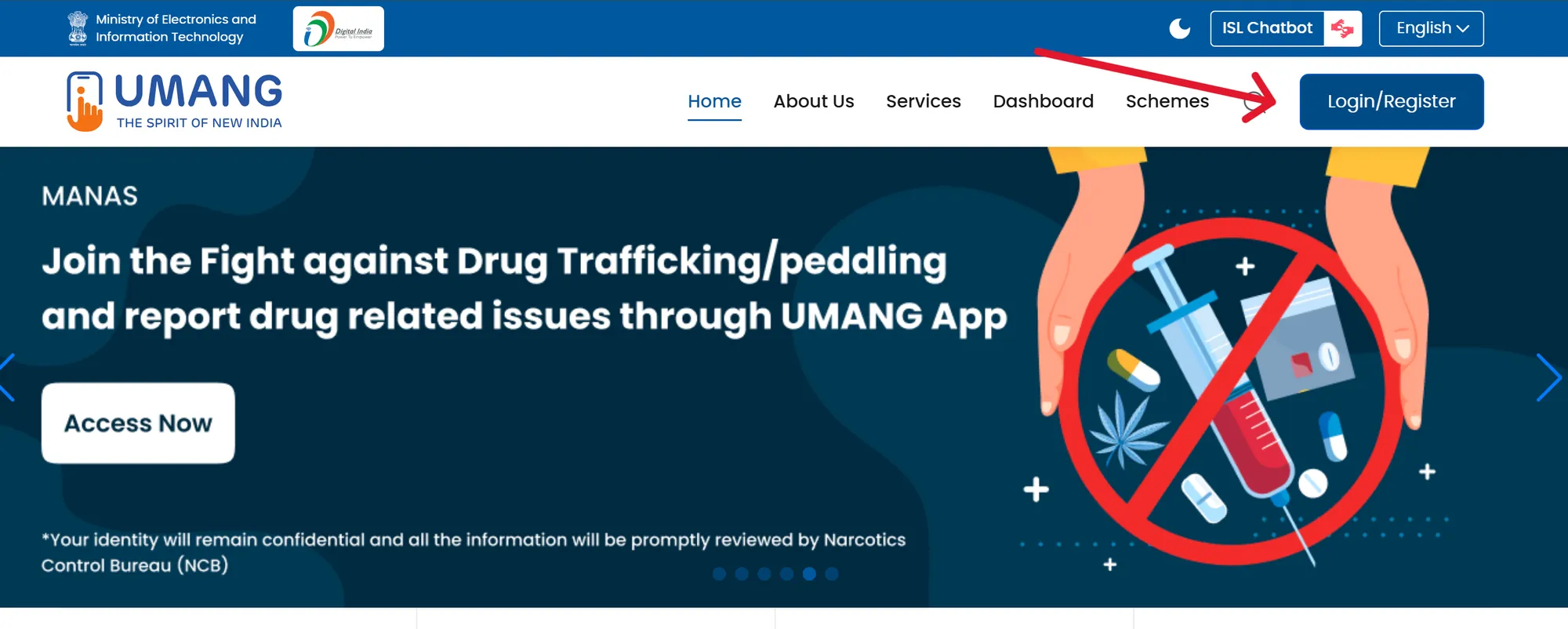
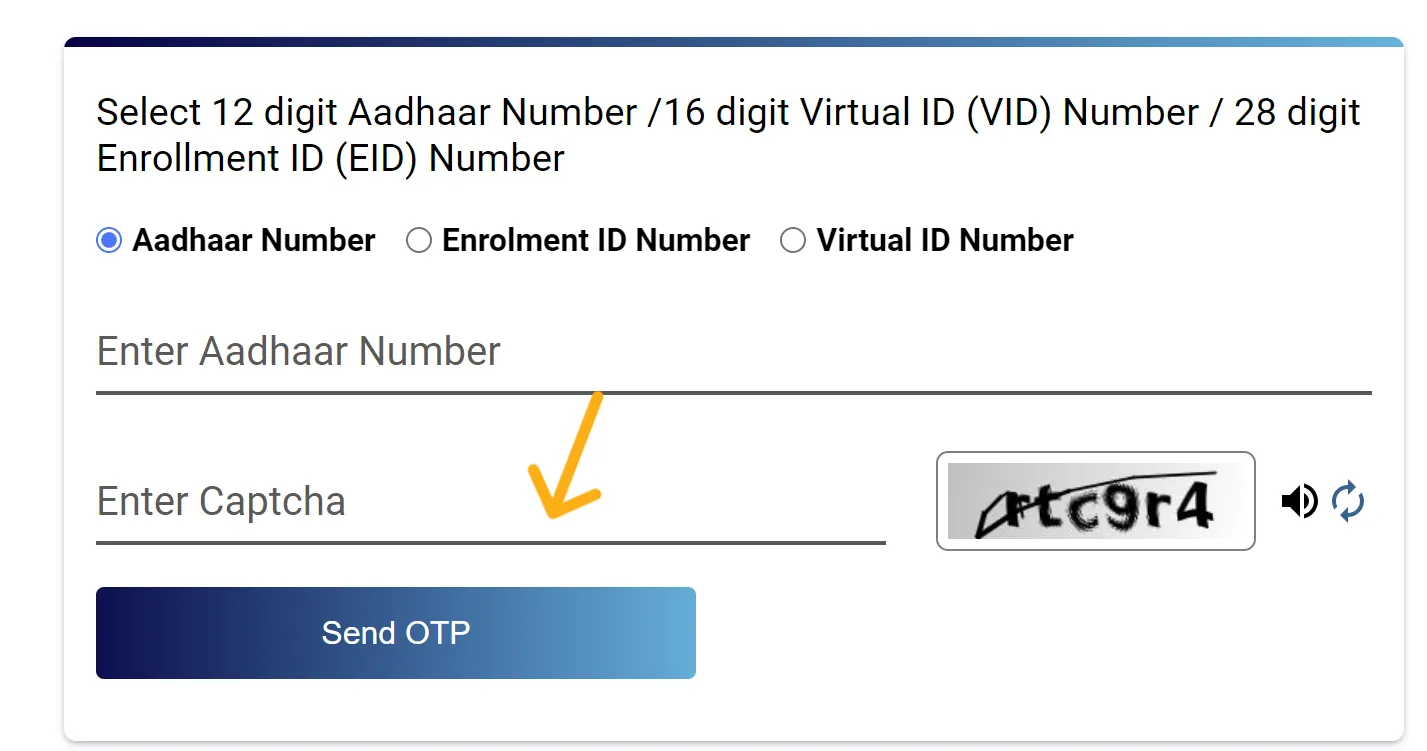
Below are screenshot references used on the sample site and now included on this homepage so users can identify the right service screens faster.

UIDAI Download Aadhaar page screenshot
Download Aadhaar page | डाउनलोड आधार पेज
e-Aadhaar form screenshot
e-Aadhaar form view | ई-आधार फॉर्म स्क्रीन
mAadhaar dashboard screenshot
mAadhaar dashboard | mAadhaar डैशबोर्ड
Enter details to download Aadhaar screenshot
Enter details step | विवरण दर्ज करने का चरण
DigiLocker sign in screenshot
DigiLocker sign-in | डिजीलॉकर लॉगिन
UMANG portal screenshot
UMANG portal | उमंग पोर्टल
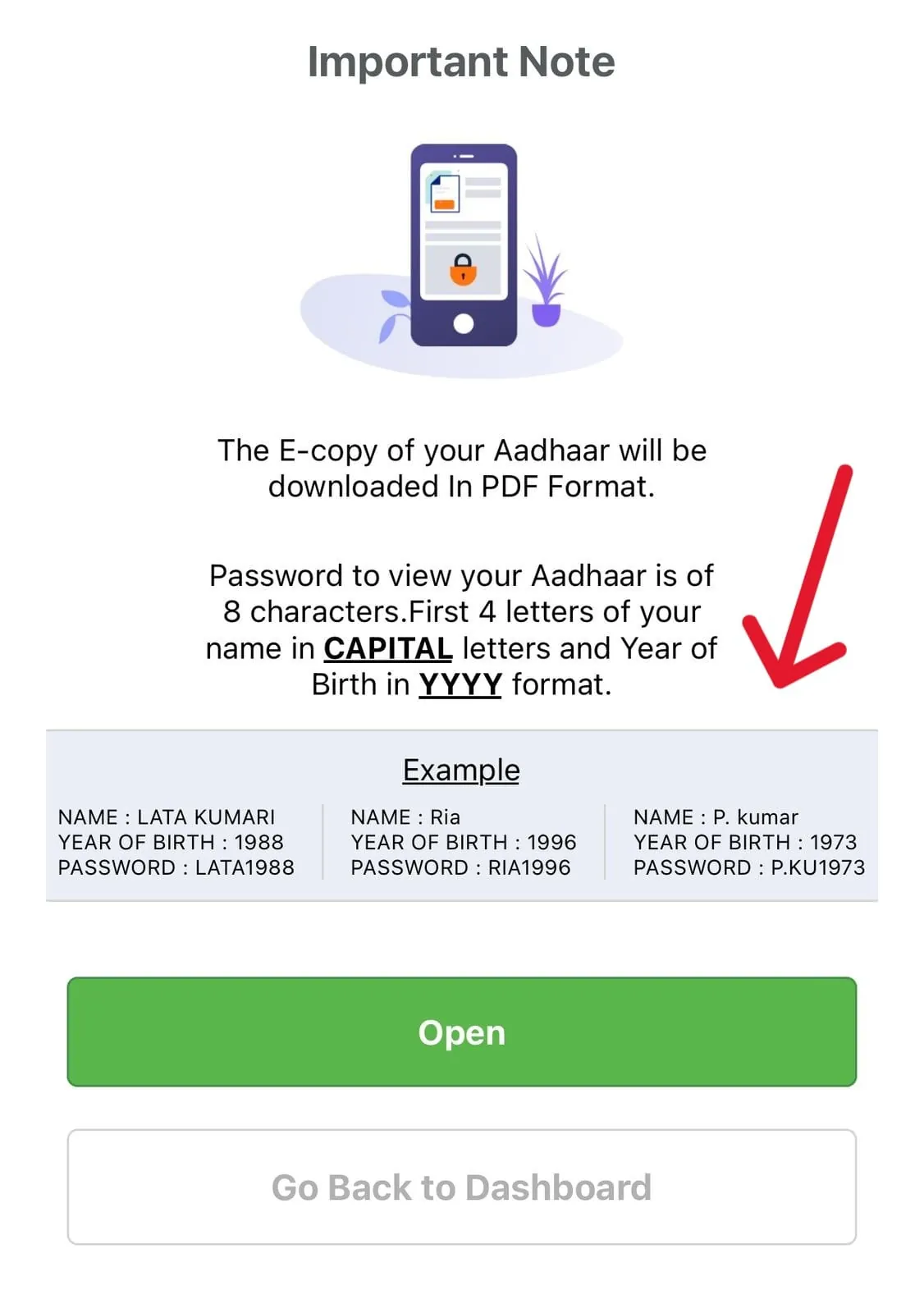
Download e-copy of Aadhaar screenshot
Download e-copy step | ई-कॉपी डाउनलोड चरण
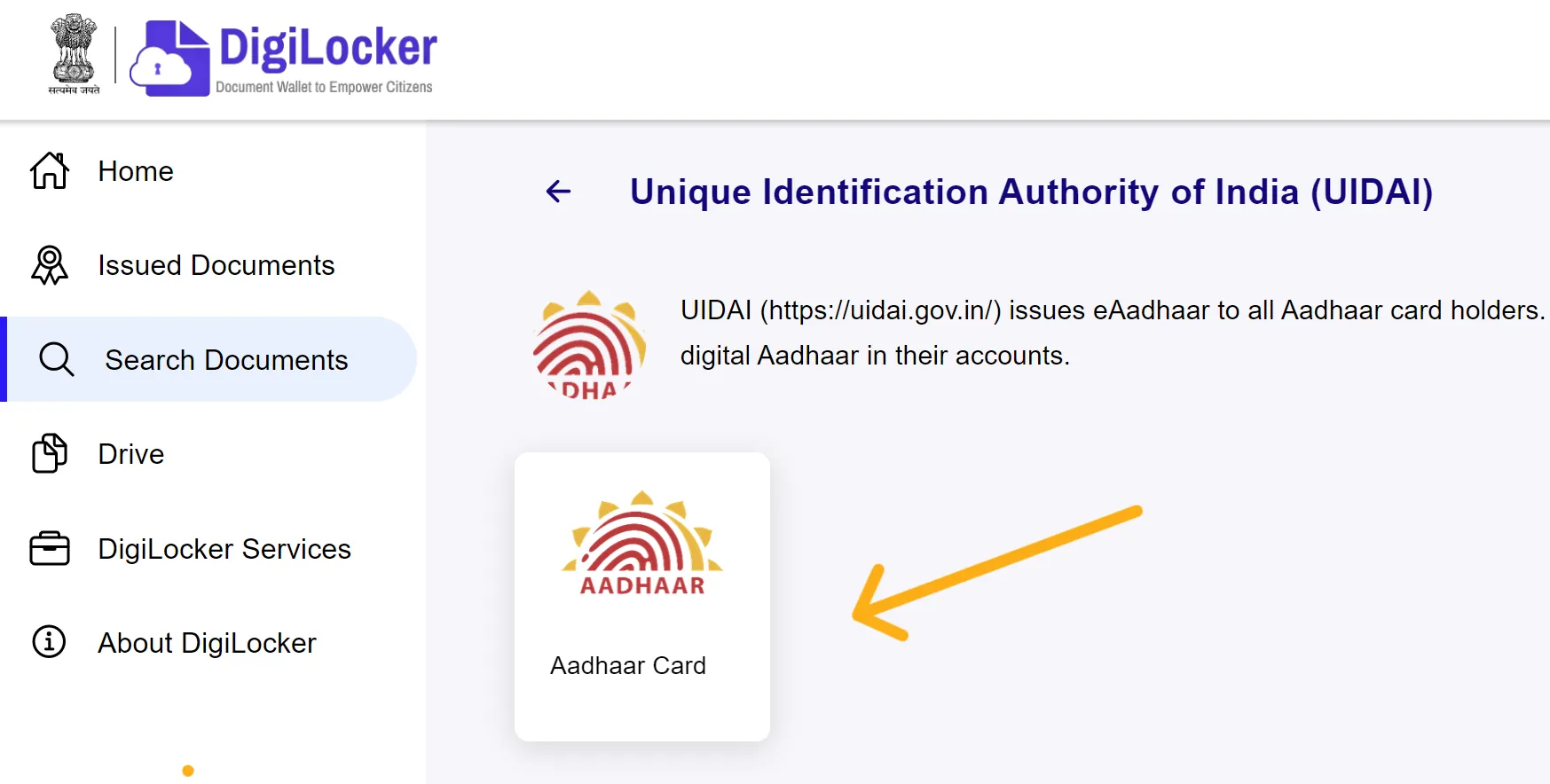
Aadhaar card on DigiLocker screenshot
DigiLocker Aadhaar view | डिजीलॉकर आधार व्यू
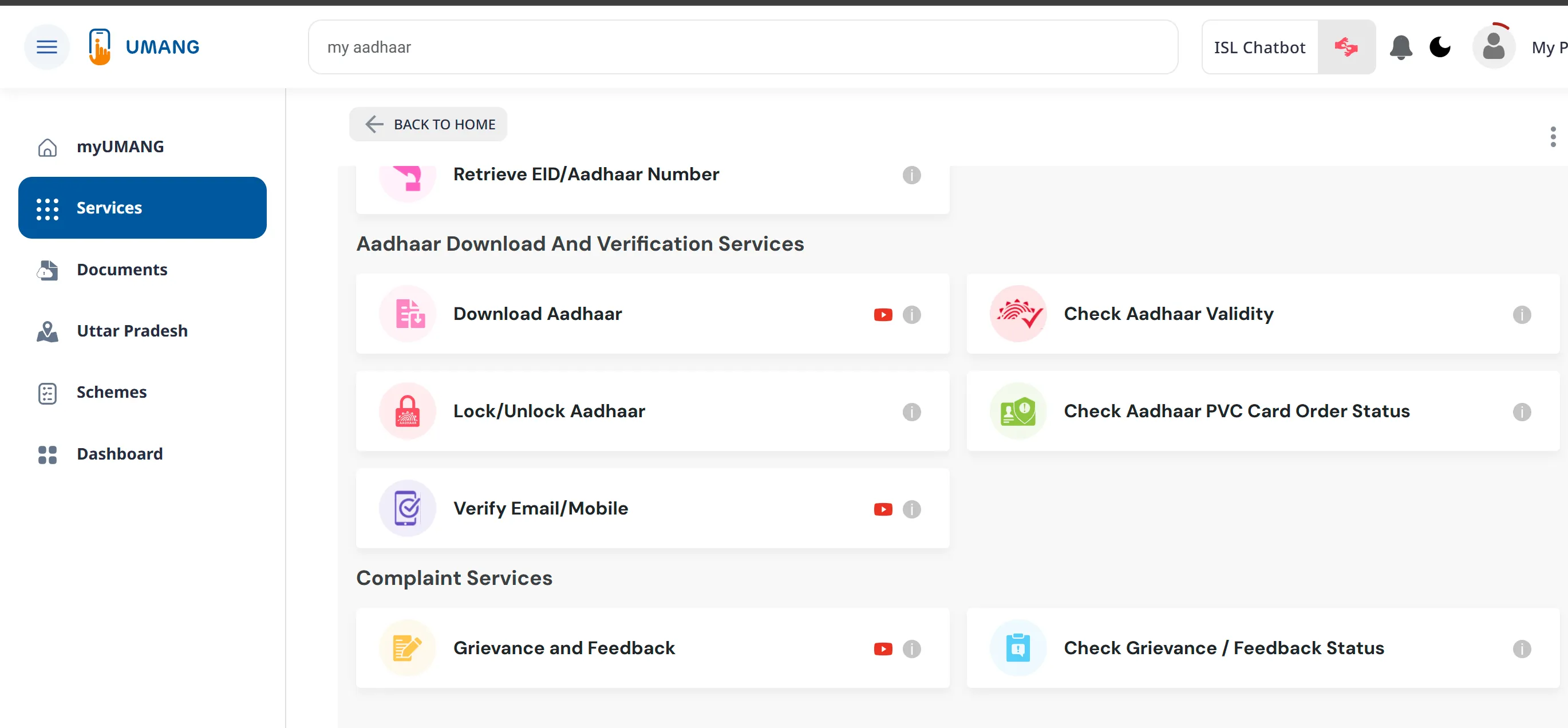
UMANG Aadhaar services screenshot
UMANG Aadhaar services | उमंग आधार सेवाएं
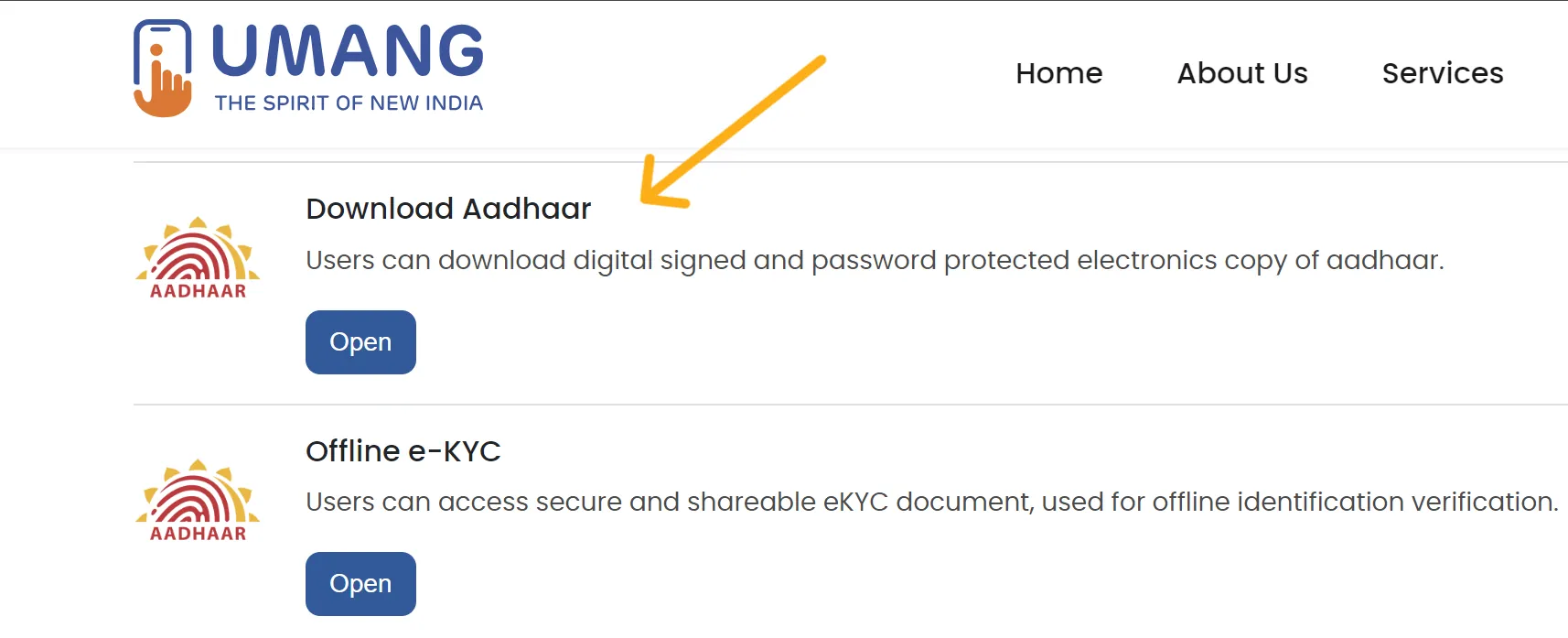
Download e-Aadhaar on UMANG screenshot
UMANG download flow | उमंग डाउनलोड फ्लो

हिंदी में पूरी मदद (Aadhaar उपयोगकर्ता गाइड)

यह सेक्शन खासतौर पर हिंदी उपयोगकर्ताओं के लिए बनाया गया है। यहां आप डाउनलोड, अपडेट, स्टेटस ट्रैकिंग, दस्तावेज़ तैयारी, शिकायत और सुरक्षा से जुड़ी उपयोगी जानकारी आसान भाषा में पाएंगे। अंतिम प्रक्रिया हमेशा आधिकारिक UIDAI पोर्टल पर ही पूरी करें।

आधार डाउनलोड करने का आसान तरीका

  1. ऑफिशियल लिंक खोलें: Download e-Aadhaar
  2. Aadhaar नंबर, VID या EID में से जो उपलब्ध हो, वही दर्ज करें।
  3. OTP से वेरिफिकेशन करें और डाउनलोड बटन दबाएं।
  4. जरूरत हो तो Masked Aadhaar चुनें, जिससे नंबर आंशिक रूप से छिपा रहता है।
  5. PDF डाउनलोड के बाद नाम, जन्मतिथि और पता जरूर मिलाएं।

आधार अपडेट/सुधार से पहले क्या करें

  1. पहले तय करें कि कौन-सा फील्ड अपडेट करना है (नाम, पता, DOB, मोबाइल आदि)।
  2. हर फील्ड के लिए सही दस्तावेज़ श्रेणी रखें: POI, POA, DOB Proof।
  3. स्पेलिंग, PIN code, locality, घर नंबर जैसी जानकारी दुबारा जांचें।
  4. रिक्वेस्ट सबमिट होने के बाद URN/SRN नोट करके सुरक्षित रखें।
  5. स्टेटस पेज पर नियमित अंतराल से प्रगति ट्रैक करें।

आम समस्याएं और समाधान (हिंदी)

  • OTP नहीं आ रहा: नेटवर्क, SMS ब्लॉकिंग, और लिंक्ड मोबाइल नंबर की स्थिति जांचें।
  • अपडेट रिजेक्ट: कारण पढ़ें, सही दस्तावेज़ और स्पष्ट स्कैन के साथ दोबारा आवेदन करें।
  • स्टेटस लंबे समय से पेंडिंग: URN/SRN के साथ शिकायत दर्ज करें और शिकायत स्टेटस ट्रैक करें।
  • डाउनलोड PDF नहीं खुल रही: Aadhaar PDF पासवर्ड फॉर्मेट सही दर्ज करें (नाम + जन्म वर्ष फॉर्मेट के अनुसार)।
  • मोबाइल लिंक नहीं है: नजदीकी आधार केंद्र में जाकर मोबाइल अपडेट प्रक्रिया पूरी करें।

सुरक्षा सलाह (बहुत महत्वपूर्ण)

  • किसी कॉल/मैसेज पर OTP साझा न करें, चाहे वह खुद को सपोर्ट बताए।
  • आधार PDF और दस्तावेज़ केवल आधिकारिक वेबसाइट पर ही अपलोड करें।
  • सोशल मीडिया/WhatsApp लिंक से लॉगिन करने से बचें।
  • सार्वजनिक कंप्यूटर में काम के बाद लॉगआउट और ब्राउज़र हिस्ट्री क्लियर करें।
  • जहां पूर्ण आधार नंबर जरूरी न हो, वहां Masked Aadhaar या VID उपयोग करें।

और विस्तृत हिंदी जानकारी (यूनिक गाइड)

नीचे दिए गए बिंदु यूजर की सामान्य जरूरतों पर आधारित हैं: आधार डाउनलोड के अलग-अलग माध्यम, पहचान नंबरों का अंतर, वैधता जांच, PVC कार्ड, और सुरक्षित उपयोग। यह सामग्री उदाहरण-आधारित है, लेकिन शब्दशः कॉपी नहीं है।

Aadhaar, EID और VID में अंतर

  • Aadhaar Number: 12 अंकों की स्थायी पहचान संख्या।
  • EID: नामांकन रसीद पर मिलने वाला ट्रैकिंग आईडी, डाउनलोड/ट्रैकिंग में उपयोगी।
  • VID: गोपनीयता बढ़ाने के लिए जनरेट किया गया वर्चुअल आईडी, जहां संभव हो वहां इसका उपयोग बेहतर रहता है।
  • किसी भी फॉर्म में वही पहचान विकल्प चुनें जो उस पेज पर मान्य हो।

डाउनलोड के कई सुरक्षित विकल्प

  • myAadhaar पोर्टल से सीधे e-Aadhaar डाउनलोड।
  • mAadhaar ऐप से मोबाइल पर डिजिटल एक्सेस।
  • DigiLocker में जारी दस्तावेज़ सेक्शन से आधार एक्सेस।
  • UMANG के Aadhaar सेवाओं के माध्यम से डाउनलोड/स्टेटस विकल्प।
  • हर विकल्प में OTP आधारित सत्यापन और आधिकारिक ऐप/पोर्टल का उपयोग करें।

Aadhaar वैधता और उपयोग-सावधानियां

  • जरूरत पड़ने पर UIDAI सेवाओं से आधार वैधता जांचें।
  • मोबाइल/ईमेल वेरिफिकेशन स्थिति अपडेटेड रखें।
  • कई सेवाओं में आधार उपयोगी है, लेकिन अनजान वेबसाइट पर साझा न करें।
  • जिन स्थितियों में पूर्ण नंबर की आवश्यकता नहीं, Masked Aadhaar का उपयोग करें।

PVC Aadhaar और ट्रैकिंग पर हिंदी नोट्स

  • PVC Aadhaar एक कॉम्पैक्ट कार्ड फॉर्मेट है, जिसे अलग से ऑर्डर किया जा सकता है।
  • ऑर्डर के बाद अनुरोध आईडी सुरक्षित रखें ताकि स्टेटस ट्रैक किया जा सके।
  • अगर डिलीवरी या प्रोसेस में देरी हो, तो आधिकारिक शिकायत चैनल का उपयोग करें।
  • स्टेटस स्क्रीन पर उपलब्ध अपडेट ही अंतिम माने जाएं।

हिंदी उपयोगकर्ताओं के लिए प्रो टिप्स

  • फॉर्म भरने से पहले अंग्रेजी स्पेलिंग और हिंदी दस्तावेज़ नाम का मिलान करें।
  • स्क्रीनशॉट देखकर चरण पहचानें, पर हमेशा लाइव पोर्टल के लेटेस्ट टेक्स्ट को प्राथमिकता दें।
  • एक ही काम के लिए कई बार रिक्वेस्ट न डालें; पहले पुरानी रिक्वेस्ट का परिणाम देखें।
  • किसी एजेंट को OTP बताना या PDF पासवर्ड साझा करना सबसे बड़ी सुरक्षा गलती है।

Security checklist before every Aadhaar action

हर आधार प्रक्रिया से पहले यह सुरक्षा चेकलिस्ट जरूर अपनाएं।

  • Open UIDAI URLs by typing them directly, not from forwarded links.
  • Check browser address carefully before entering personal details.
  • Never share OTP with caller/agent claiming to be support staff.
  • Avoid uploading Aadhaar files to unofficial apps or random websites.
  • Use masked Aadhaar where full number sharing is not mandatory.
  • Store downloaded PDFs in protected folders and remove old duplicates.
  • Log out after portal use on shared devices or cyber cafes.

Before-you-start preparation list

शुरू करने से पहले आवश्यक तैयारी की सूची।

  • Confirm what exact field you need to update or verify.
  • Check whether your registered mobile is active for OTP workflows.
  • Keep clear digital copies of required supporting documents.
  • Keep acknowledgement IDs safely after submission.
  • Plan for center visit if your task is not available online.
  • Re-check all spellings and data format before final submit.
  • Review latest UIDAI advisories for policy/fee window changes.

Important

महत्वपूर्ण: नीति, शुल्क और समयसीमा बदल सकती है, इसलिए आधिकारिक साइट पर पुष्टि करें।

  • Policy windows, eligibility, and service charges may change; verify the latest details on official UIDAI pages.
  • The sample site and public web pages may contain outdated statements; treat this page as guidance and confirm before submission.
  • This site is independent and informational only.
  • Last reviewed: